Guide:
Workspaces
As the word says there could be different workspaces.
The first one is "My workspace" ==> Private space
"Team Workspace" ==> Space to share with other people.
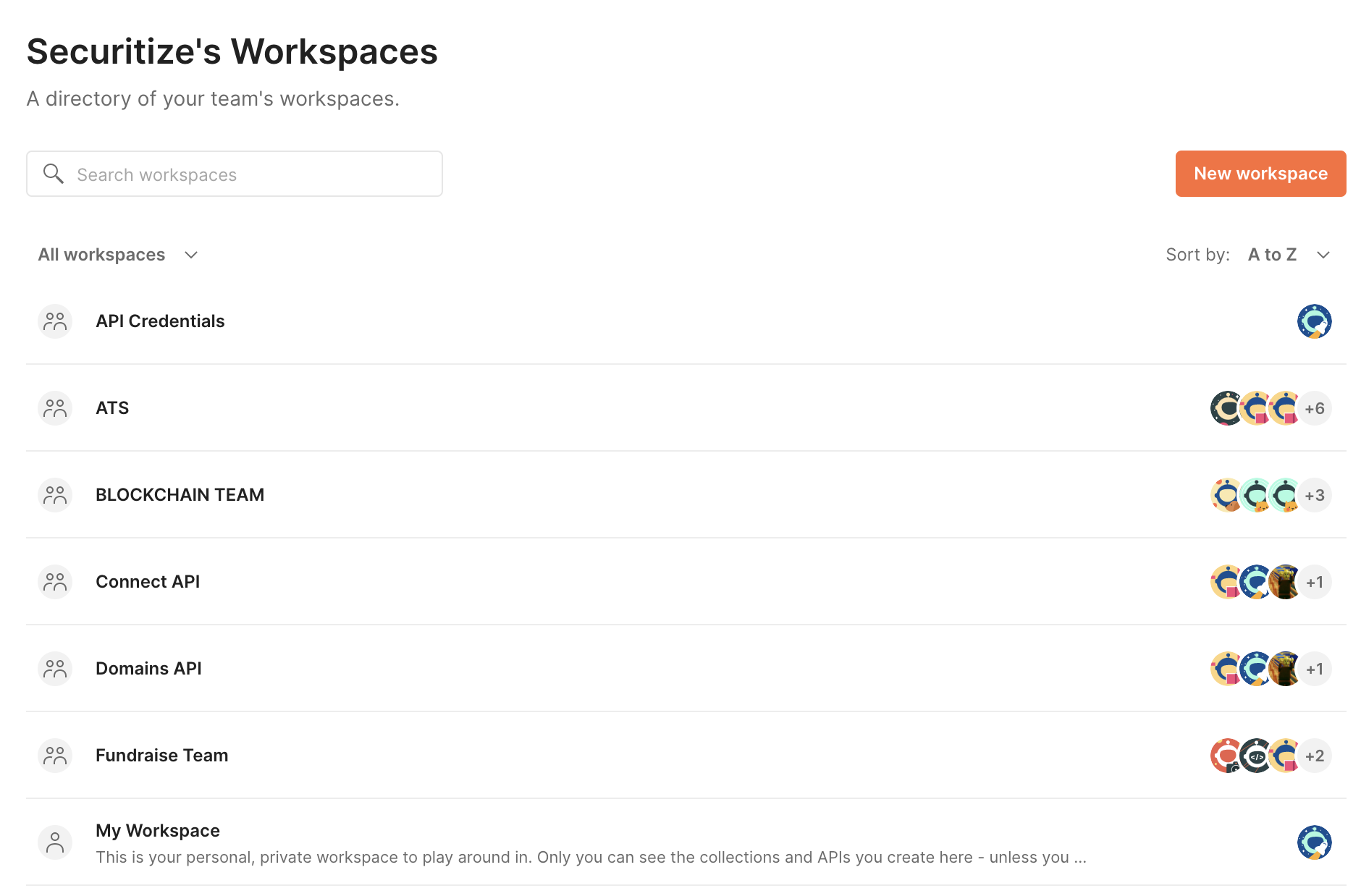
There is a "API Credential". The one we use for create api credentials for customers
Collections
Inside a workspaces, we can find at least one Collection, a set of methods.
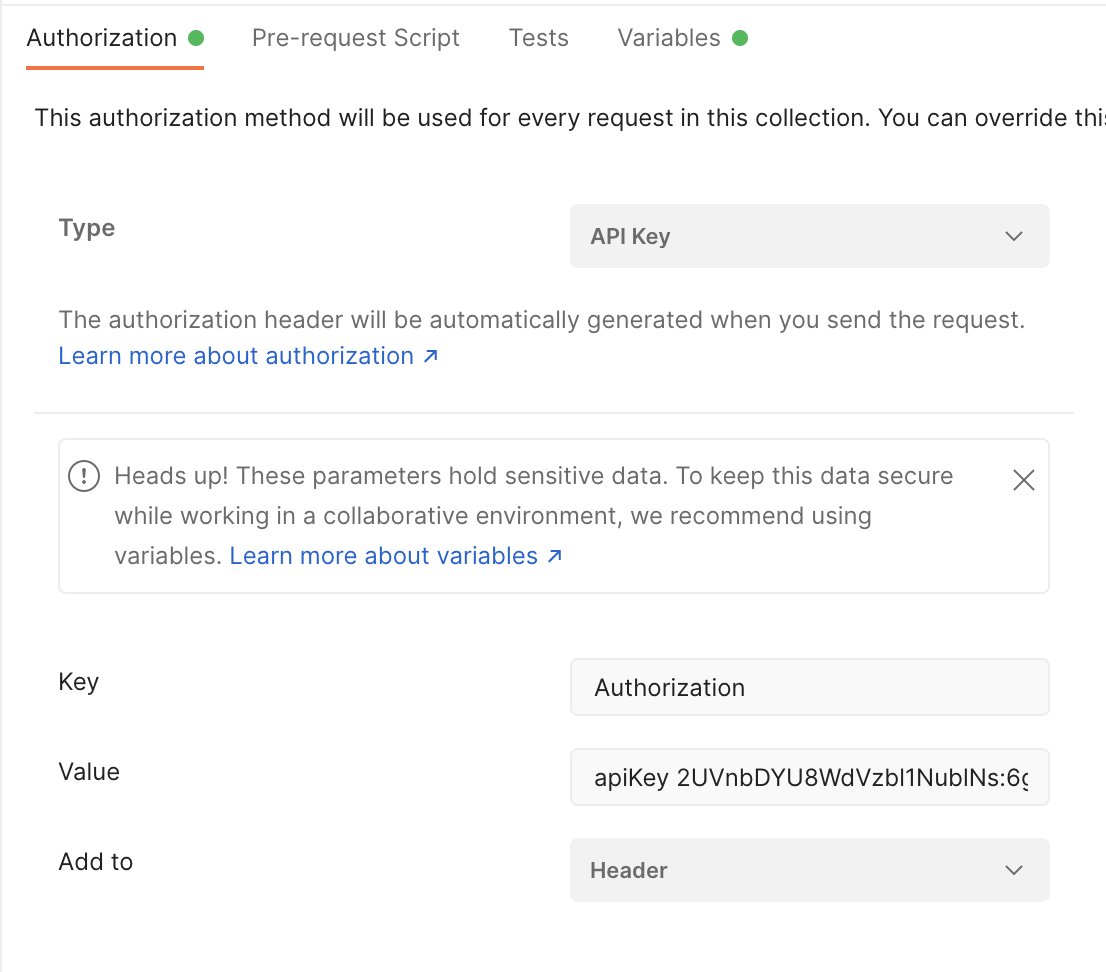
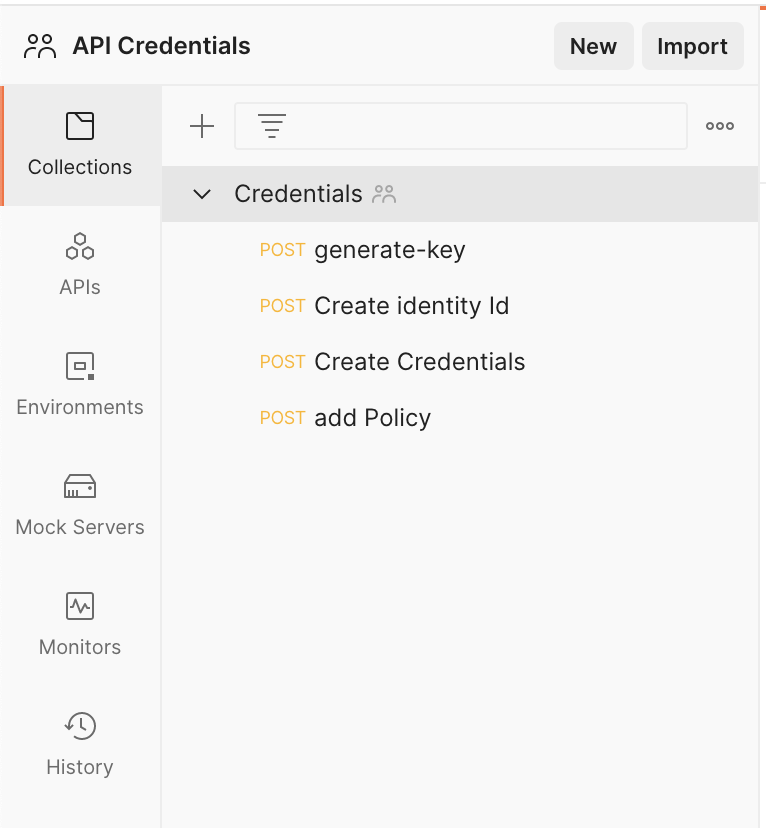
The collections allows you to reuse variables in differents methods.
Authentication
Most of the cases, we are going to use the same Authentication for each method, and some repeated variables.
Like: issuerId, tokenId, externalId.
If you click on the collection you can set the type of Auth, we use to use API Key.
Variables
Variables allows you to reuse some pieces of code on the methods URLs, querystrings or body.
The way to use it is to first, create and assing a value on the collection:
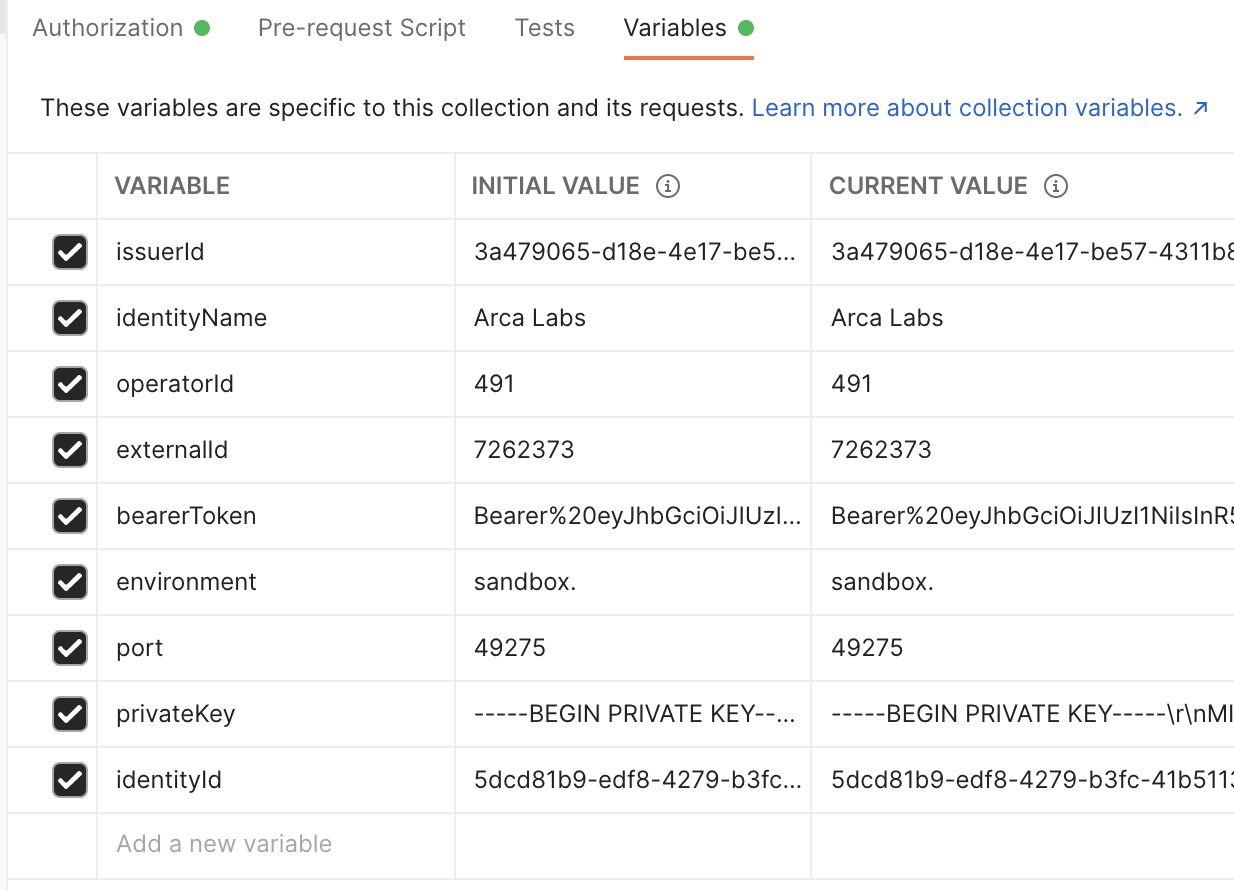
To use the variables you have to do it on this way:
{{variable name}}
So you can use it like: cp.{{environment}}.securitize.io/{{issuerId}}

Requests
You can send requests in Postman to connect to APIs you are working with. Your requests can retrieve, add, delete, and update data.
Each API request uses an HTTP method. The most common methods are GET, POST, PATCH, PUT, and DELETE.
GETmethods retrieve data from an API.POSTsends new data to an API.PATCHandPUTmethods update existing data.DELETEremoves existing data.
In Postman you can make API requests and examine the responses without using a terminal or writing any code. When you create a request and click Send, the API response appears inside the Postman user interface.
Request are made of:
- URL,
- Params (most used when you are making a
GET), - Authorization (we use to inherit from the collection),
- Headers (we won't gonna use it)
- Body (most used for
POST,PATCH) to send data
Body
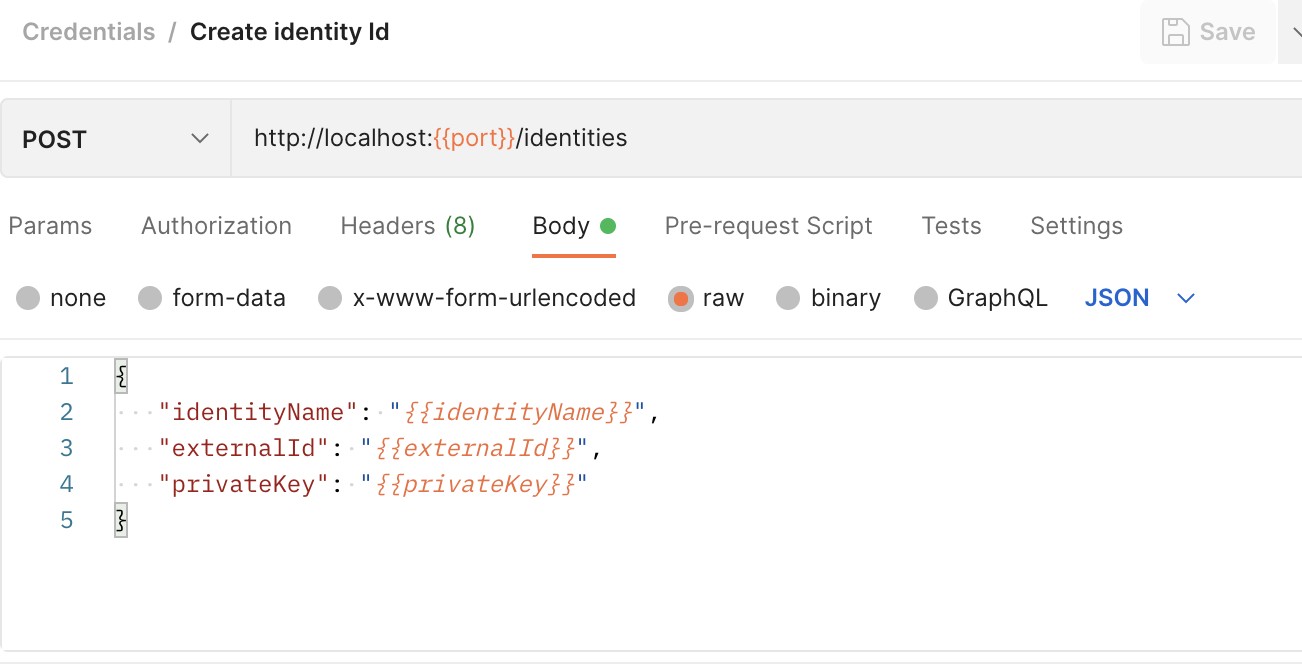
On this case, we are building a json object, and using 3 variables.
To configure in a properly way, it's important to select raw view, and JSON as format.
Executing a request
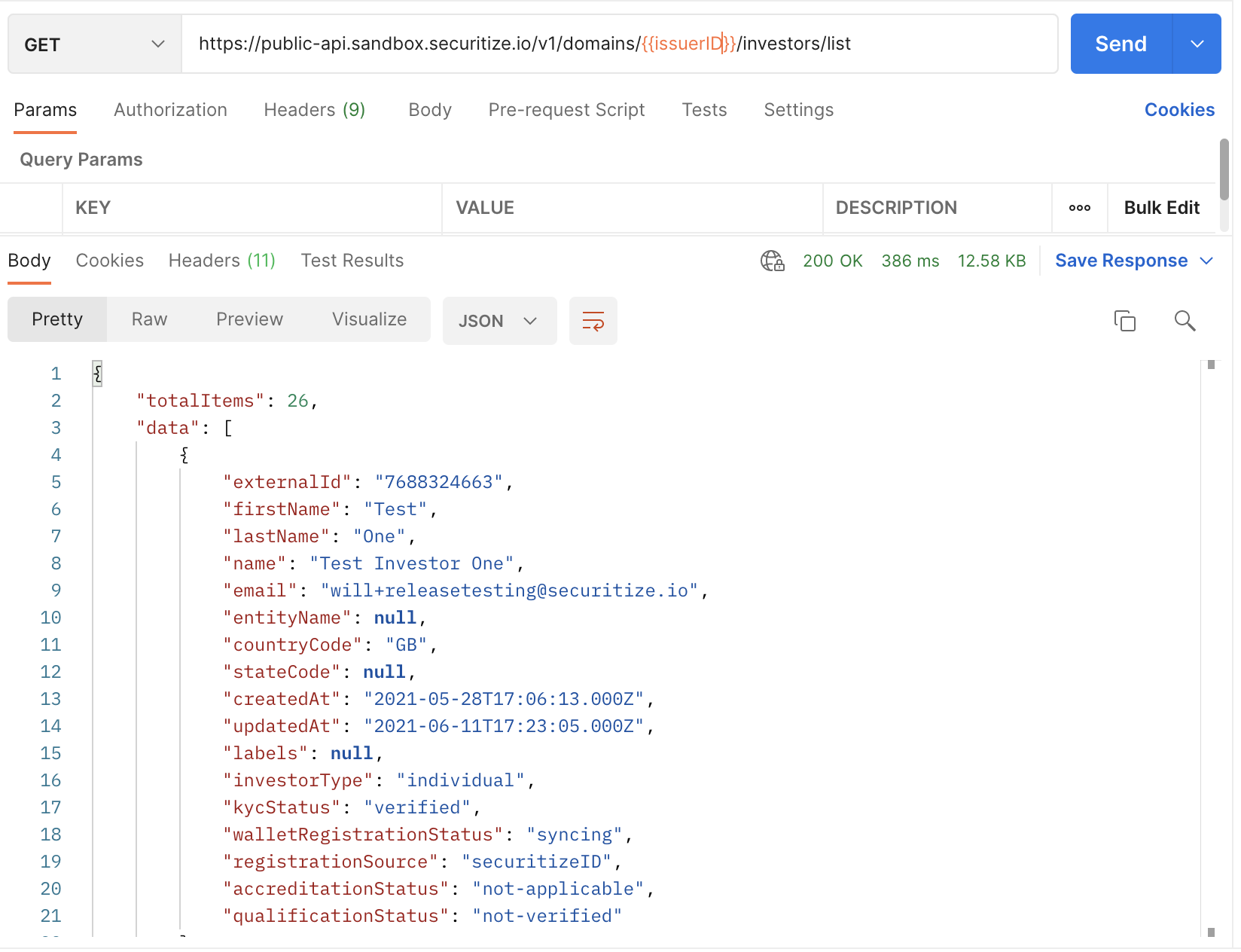
When you click on Send (top-right)
the request will be executed. And you will see the response below.